

How to Become Your Own VPN Provider in 5 Minutes
In countries with heavy filtering, such as Russia, Iran and Turkmenistan, internet access is becoming less predictable. More services are blocked, while people still need open access to information, communication and work tools. Public VPNs are convenient until they stop working. Their IPs are shared by thousands of users, abused, flagged, overloaded, and blocked. Today one server works, tomorrow it is dead, and you are back to switching locations like it is a casino. A cleaner option: take a small VPS, install Amnezia, and run your own private VPN node.
The idea
Instead of using a public VPN pool, you use your own server:
MangoHost VPS → Dedicated IP → AmneziaVPN → Private VPNThat means one IP, one owner, one exit node. No random crowd on the same address.
What you need
Order a VPS here: https://mangohost.net/vps
For this setup, Moldova is the tested option. Other locations are available here: https://mangohost.net/locations-map
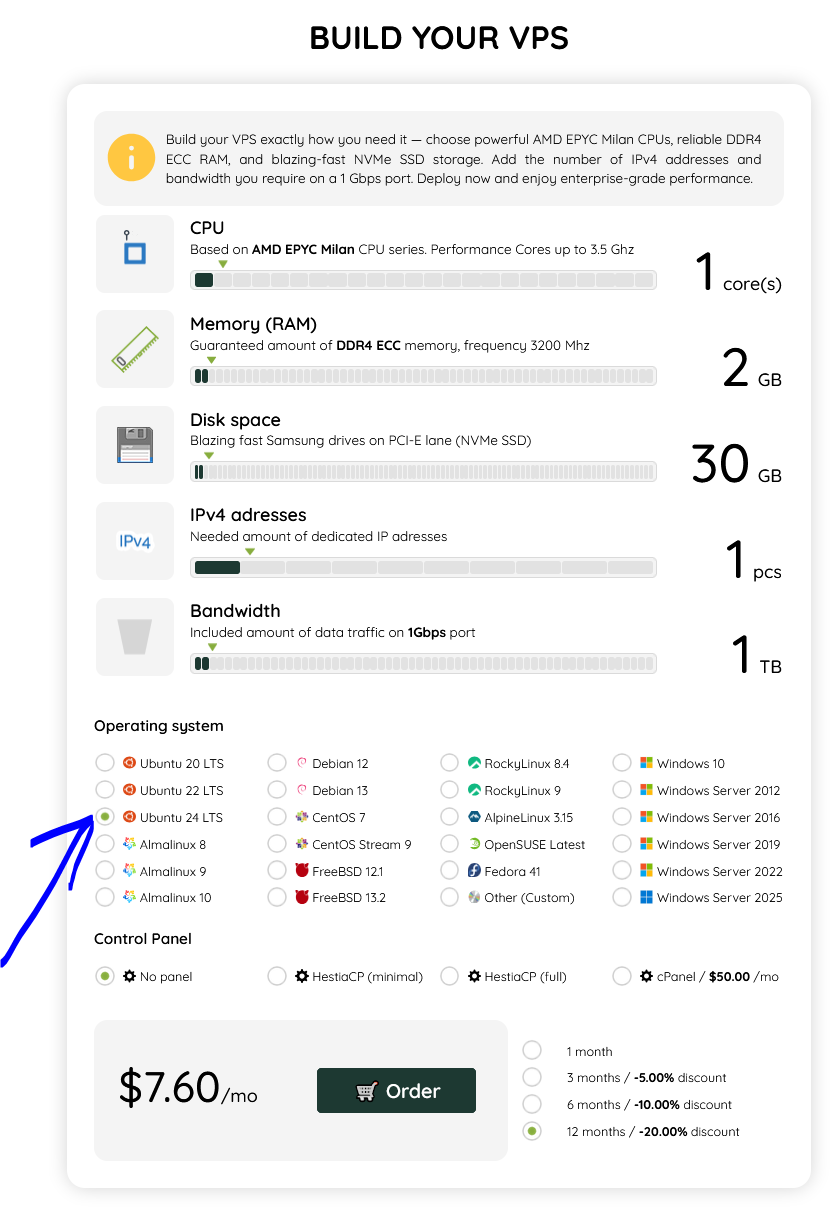
After activation, you receive server access by email:
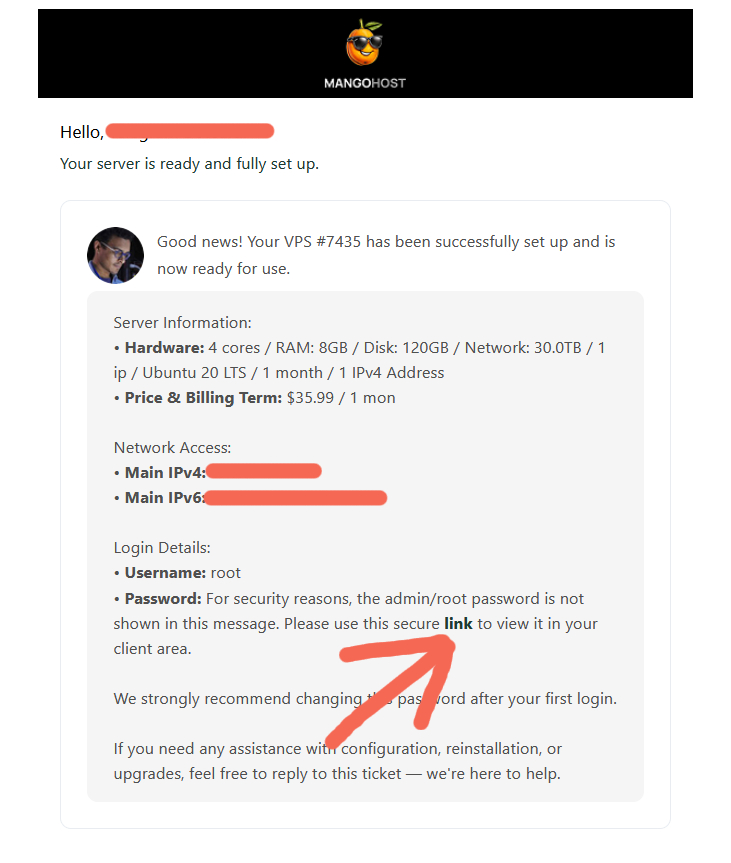
IP: 123.123.123.123
User: root
Password: ********
Setup
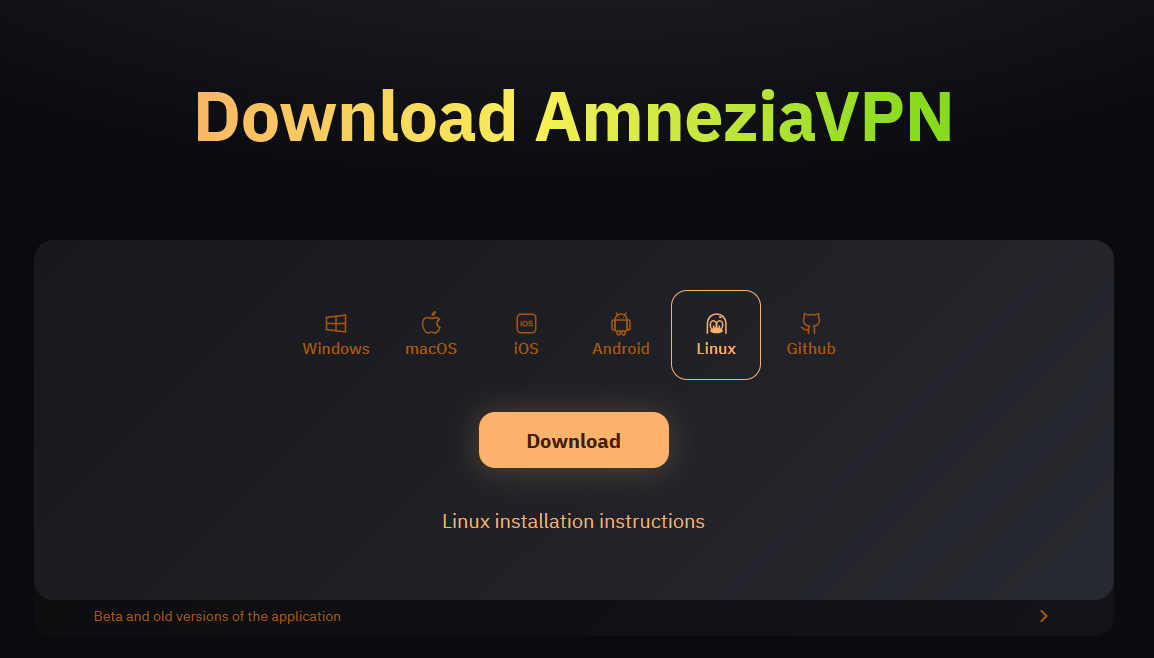
Install AmneziaVPN on your device: https://amnezia.org/downloads
If that link doesn’t work, use this:backup link
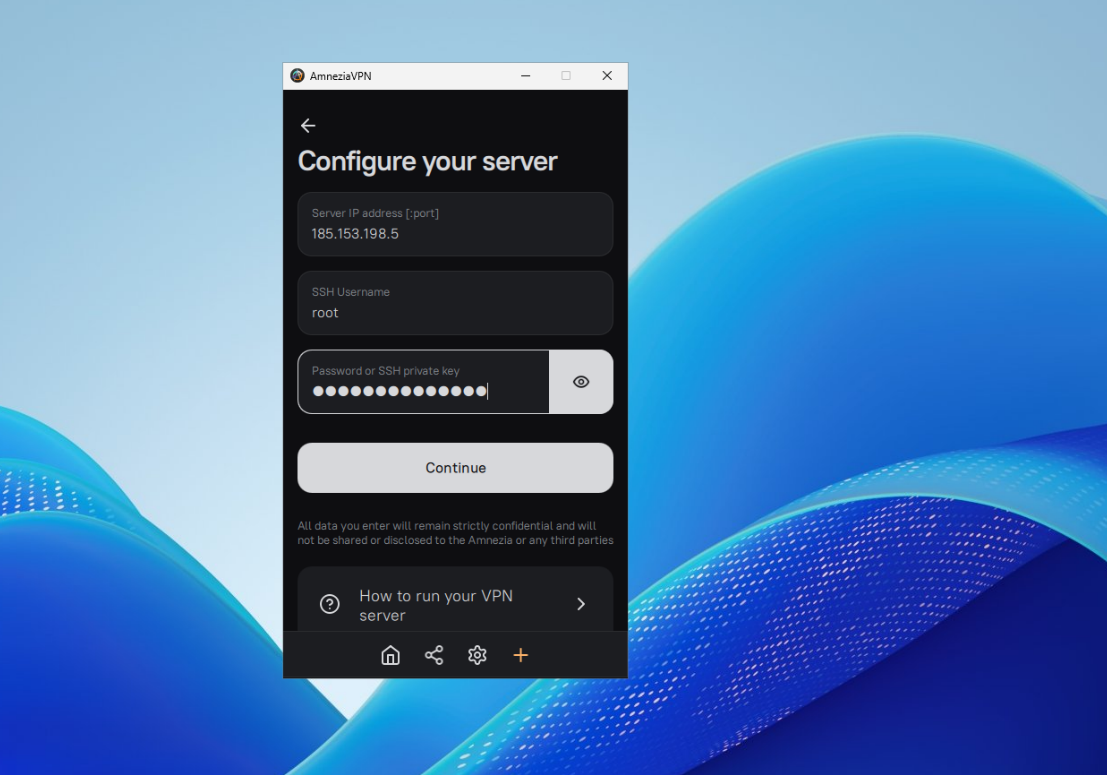
Open the app, choose the option to create VPN on your own server (self-hosted), and enter:
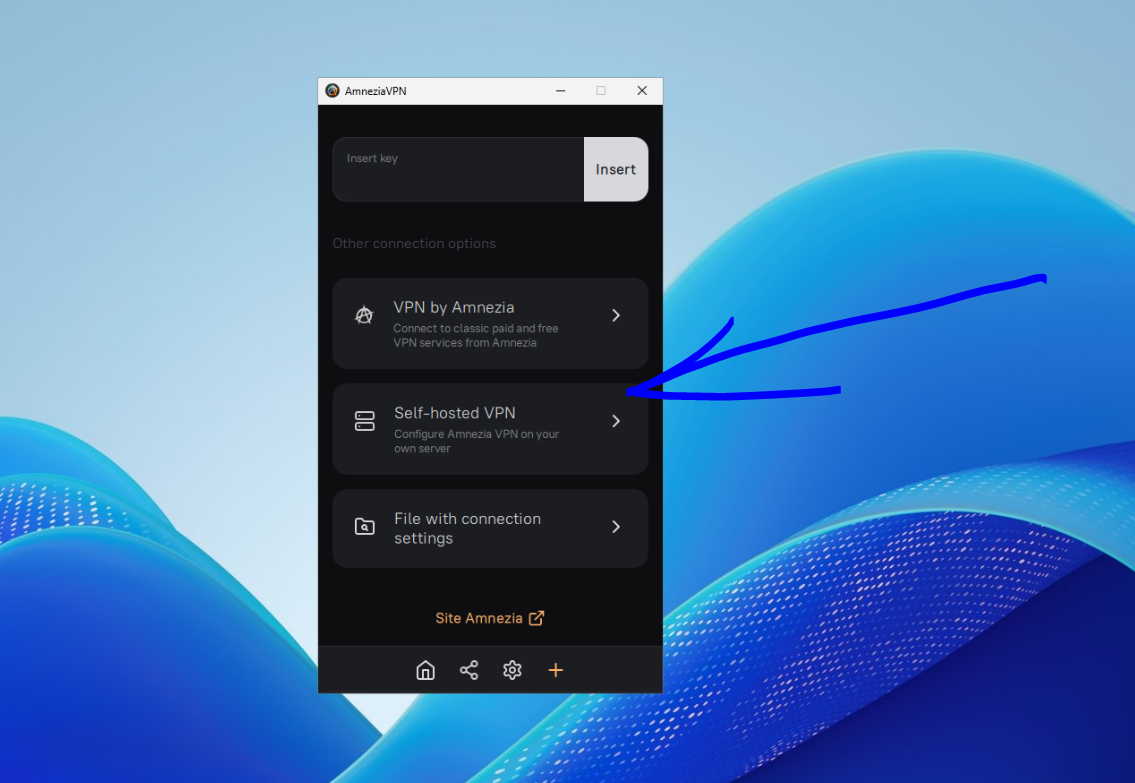
Server IP
root
root password
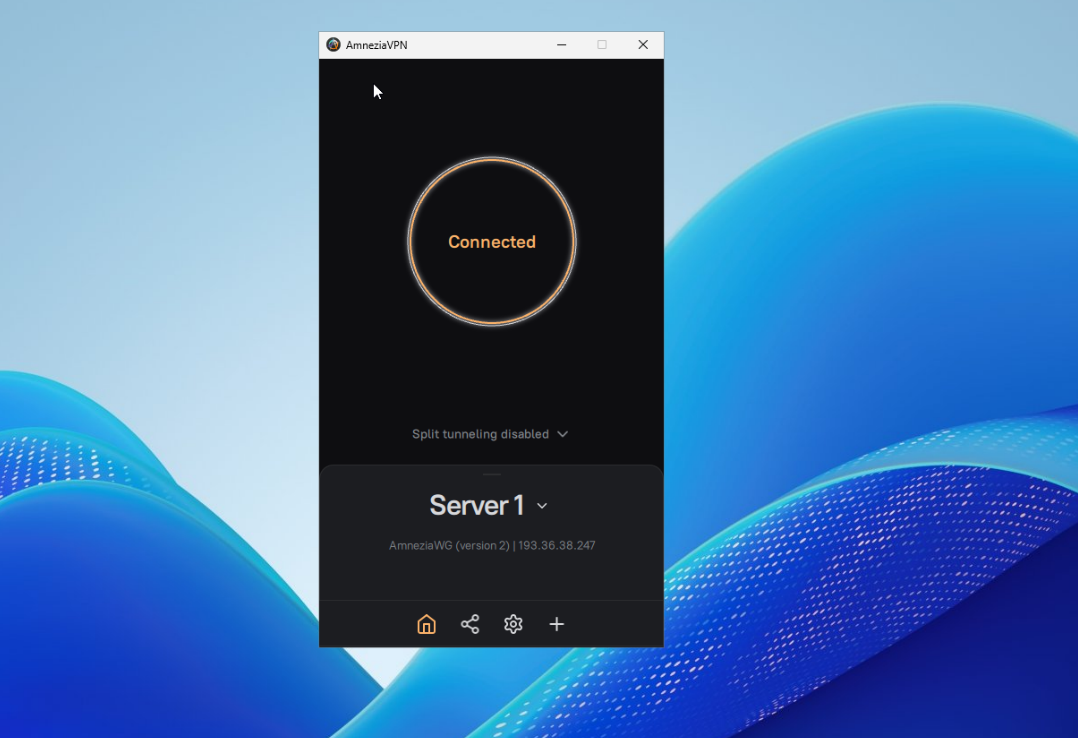
Amnezia connects to the VPS, installs the required components, and prepares the VPN profile automatically.
No manual WireGuard config.
No Docker commands.
No Linux administration course.
Why it is better than public VPN
| Public VPN | Your VPS VPN |
|---|---|
| Shared IP | Dedicated IP |
| Often blocked | Less exposed |
| Unknown users on same exit node | Only your traffic |
| Overloaded servers | Your own VPS resources |
| You depend on the provider | You control the node |
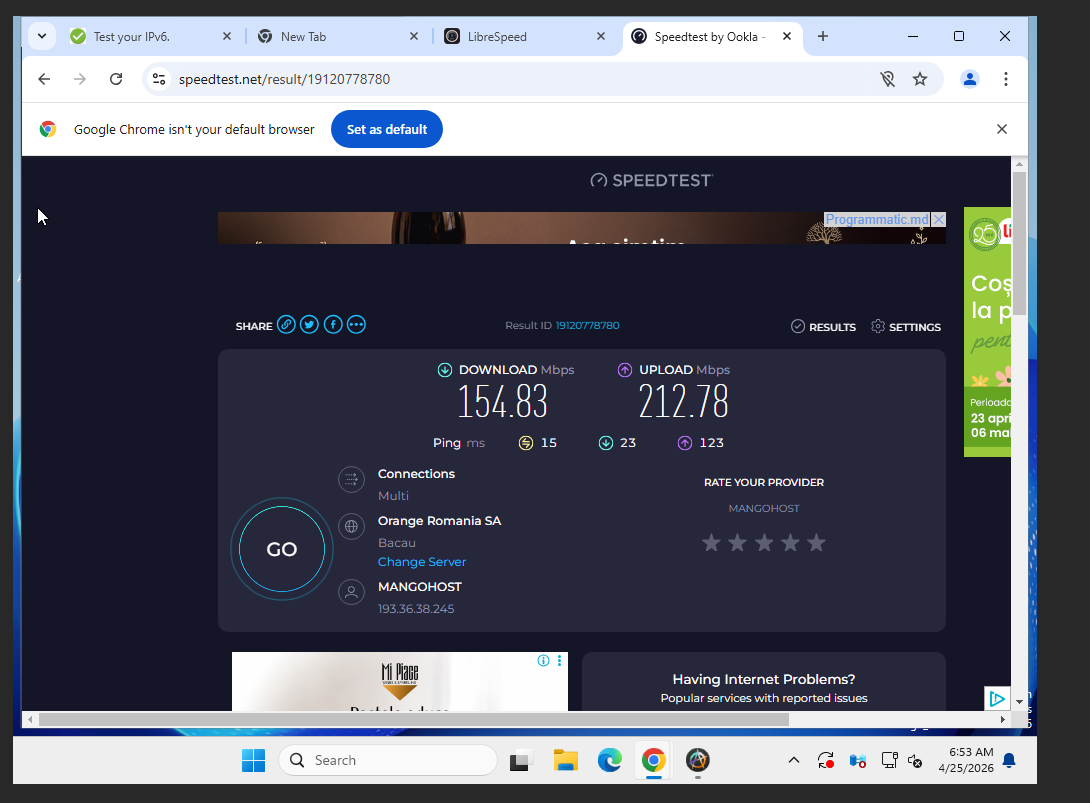
This does not make you invisible. It simply removes the biggest problem of public VPNs: crowded, burned IP infrastructure.
Protocol choice
For basic use, start with the option recommended by Amnezia.
If filtering is aggressive, try AmneziaWG or XRay. If you need speed and simplicity, WireGuard is usually fine.
Final
Public VPNs are a temporary workaround. A VPS with Amnezia is your own small VPN infrastructure. Install Amnezia on Android, iOS, or Windows, paste IP/root/password, connect.
Your server. Your IP. Your VPN.

This article incorporates information and material from various online sources. We acknowledge and appreciate the work of all original authors, publishers, and websites. While every effort has been made to appropriately credit the source material, any unintentional oversight or omission does not constitute a copyright infringement. All trademarks, logos, and images mentioned are the property of their respective owners. If you believe that any content used in this article infringes upon your copyright, please contact us immediately for review and prompt action.
This article is intended for informational and educational purposes only and does not infringe on the rights of the copyright owners. If any copyrighted material has been used without proper credit or in violation of copyright laws, it is unintentional and we will rectify it promptly upon notification. Please note that the republishing, redistribution, or reproduction of part or all of the contents in any form is prohibited without express written permission from the author and website owner. For permissions or further inquiries, please contact us.
More stories